1Password • Handed off 2025
NativeautofillonmacOS
Role
Product ManagerProduct DesignerEngineer
Timeline
Jan - April 2025
Team
1 Product Manager1 Engineer
Skills
Product StrategyProduct DesignUser Research
Overview
1Password is a password manager where millions of users store their most sensitive information.
From logins to payment details to sensitive personal information, users trust 1Password to be there the moment they need it — across browser, iOS, Android, and Windows.
Problem
1Password doesn't support native macOS autofill.
When users cannot access the right password in native macOS apps, the experience breaks down — and so does trust. Native macOS autofill was table stakes for preserving user confidence.
The challenge: building autofill without owning the operating system.
Building inside Apple's ecosystem meant working within macOS constraints. We had to explore multiple paths, understand the trade-offs, and make difficult decisions around complex system-level problems.
Navigating the Mess
Final flows looked simple, but each surface required its own design.
Here's where we landed.
The core problem sat in one specific part of the flow. Here's how I found it — and why it shaped everything that followed.
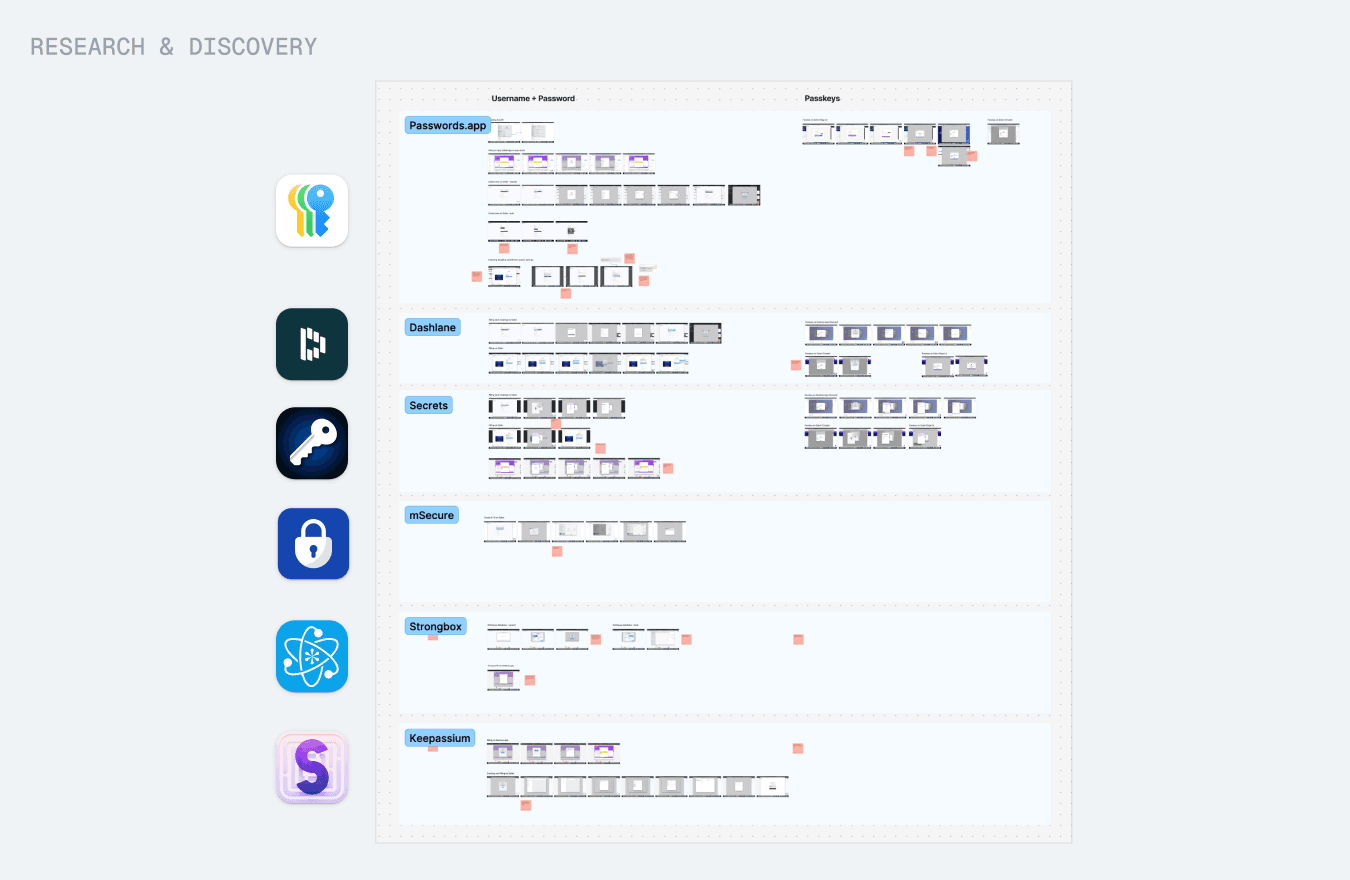
We researched how other password managers handled macOS autofill.
The complexity came from three places:
Three products compete for the same autofill space on macOS.

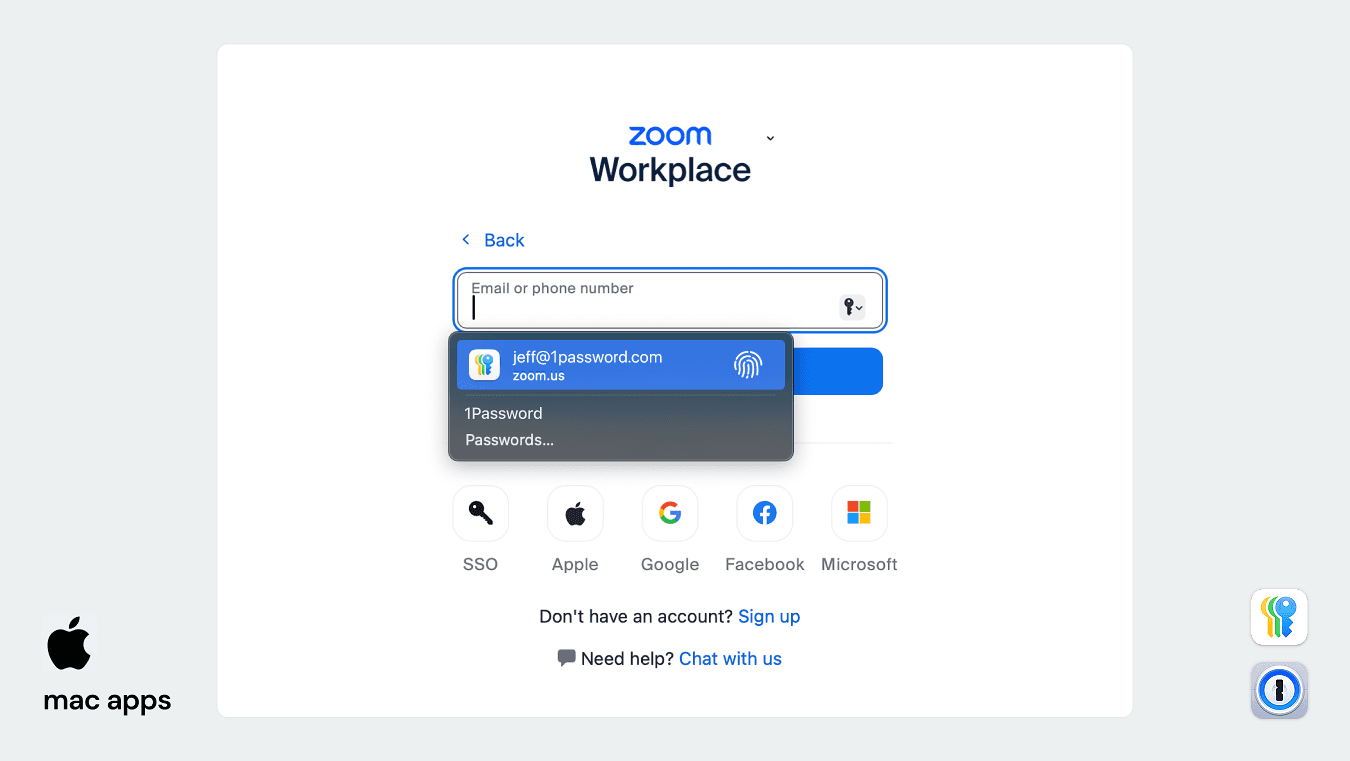
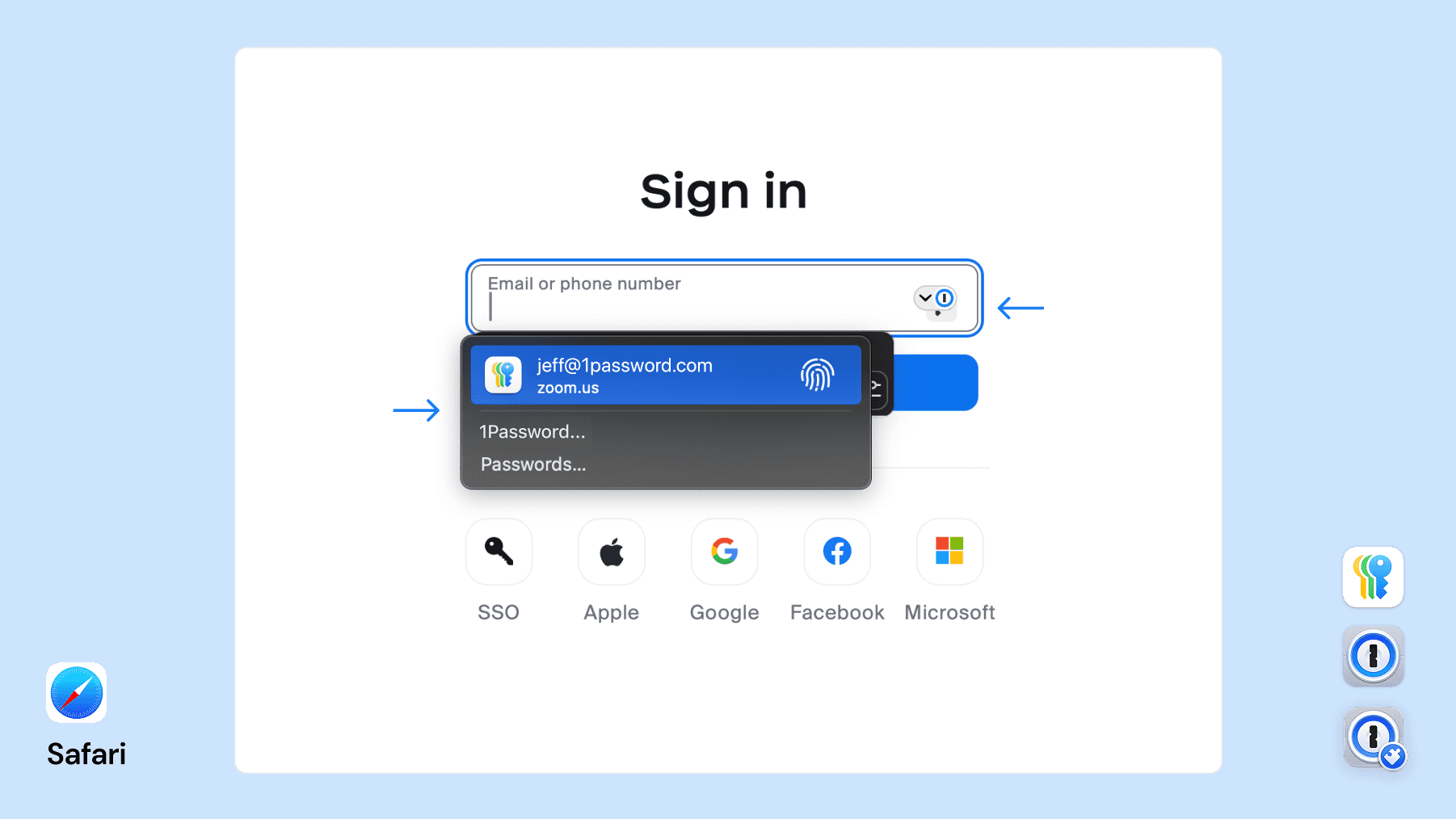
The problem on mac apps
Apple Passwords takes visual priority over 1Password on macOS.
This is a problem for both 1Password and its users. As a business, 1Password loses ground to Apple Passwords on macOS. For users, Apple Passwords only works within Apple's ecosystem — update a login in 1Password on Chrome, and that update won't sync to Apple Passwords on Mac.
The problem on Safari
The Native macOS dropdown overlays on Safari
Since Safari is also a native app, it will have an overlay on top of the native macOS dropdown on top of the 1Password for Safari dropdown. This creates a really confusing and cluttered UI.
Exploring the problem
The goal: a single clear autofill experience across three competing surfaces.
We tested every combination of macOS and Safari settings to understand how the autofill experience behaved. In parallel, we worked through Apple's API documentation to understand what was possible for third-party apps like 1Password.
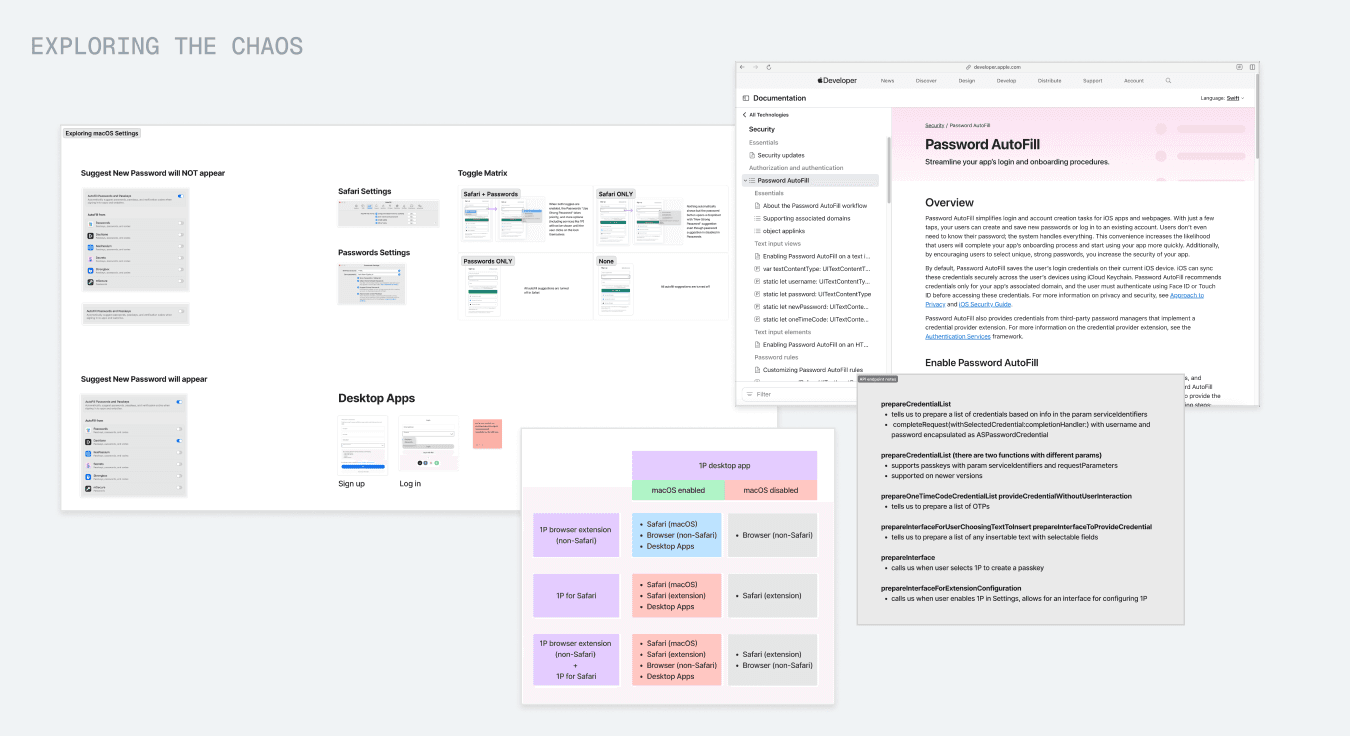
Safari Explorations
Exploration 1: Disable macOS autofill in Safari only
If we could disable macOS autofill in Safari only, users would see only the 1Password for Safari dropdown.
Apple's APIs did not allow for this level of control.
Exploration 2: UI-level workarounds
Promoting the 1Password for Safari dropdown above Apple's would solve the problem at the UI layer.
Even with significant engineering effort, the result would still be a brittle, unreliable experience.
Solution: Instruct users to turn off Safari Autofill
The approach was to guide users through disabling Safari Autofill themselves, helping prevent duplicate password prompts.
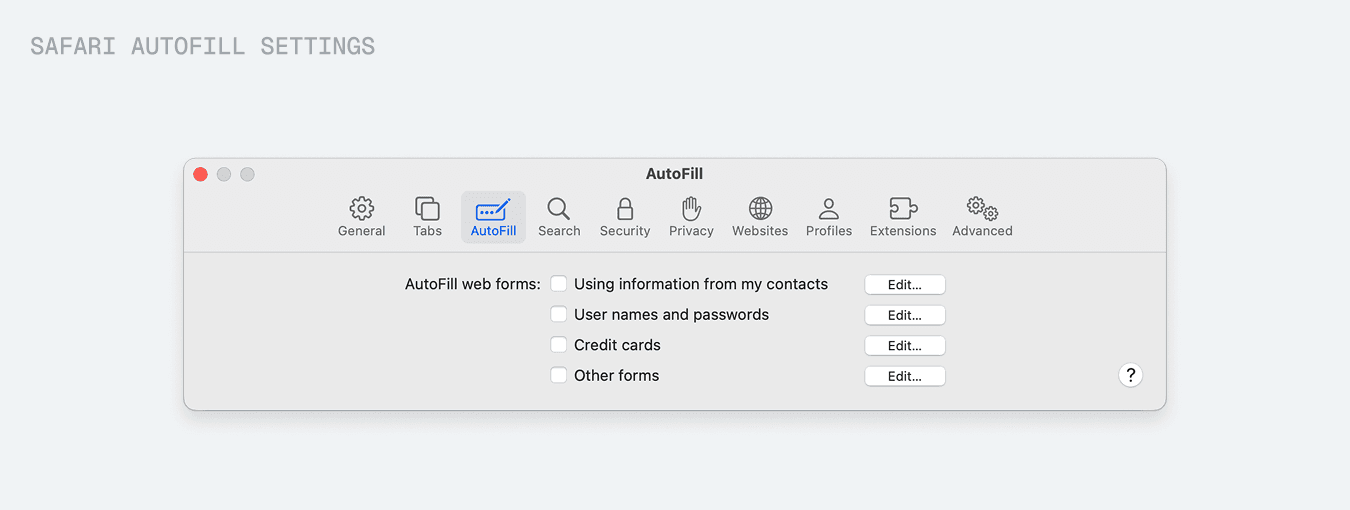
I handed this off to the 1Password for Safari team!
macOS Explorations
The workaround was to guide users to disable Apple Passwords in their macOS settings.
Once users disable Apple Passwords, 1Password becomes their only autofill option.
Solution: Instruct users to turn off Apple Passwords
I designed a setup flow within 1Password for macOS settings. In the new Autofill tab, users are guided through setting up macOS autofill and instructed to turn off Apple Passwords.
Onboarding Users
Where should we surface macOS autofill setup?
The next challenge was discoverability: how would users find this setting? We explored several entry points:
Entry Points
Onboarding modals
Shown when users first opened 1Password, these modals could introduce macOS autofill early in the setup experience.
Onboarding modals
Shown when users first opened 1Password, these modals could introduce macOS autofill early in the setup experience.
Guided setup
Guided Setup was an existing series of mandatory steps for new users. We explored adding optional steps to introduce macOS autofill setup.
Guided setup
Guided Setup was an existing series of mandatory steps for new users. We explored adding optional steps to introduce macOS autofill setup.
Core product
The core product was where users landed every day. We explored embedding multiple entry points to macOS autofill across the main app surface.
Core product
The core product was where users landed every day. We explored embedding multiple entry points to macOS autofill across the main app surface.
Solution
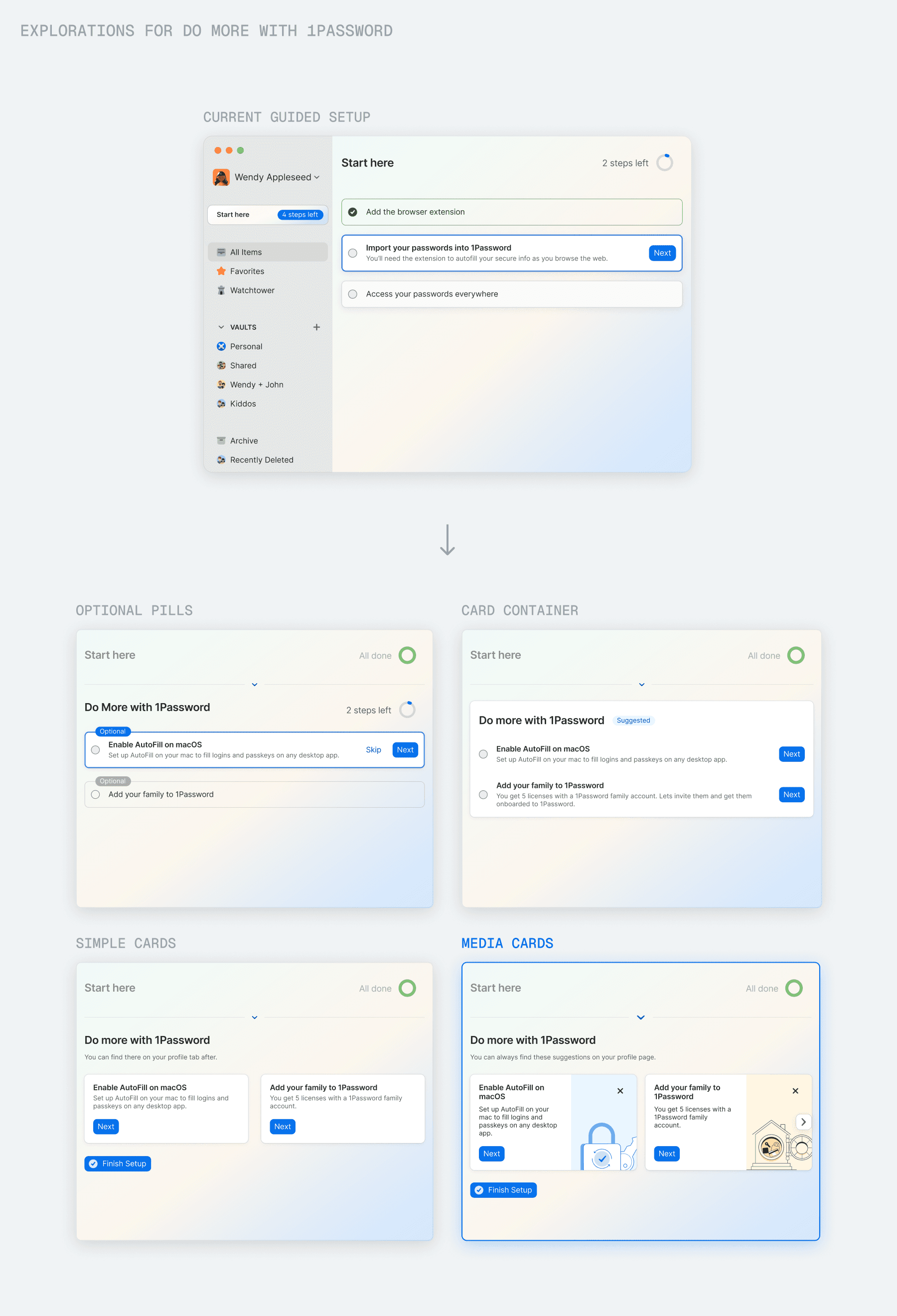
Do More with 1Password
These are suggested setup steps for features like macOS autofill. We designed this as a new addition to the system, recognising that there were other valuable features users could be guided to set up.
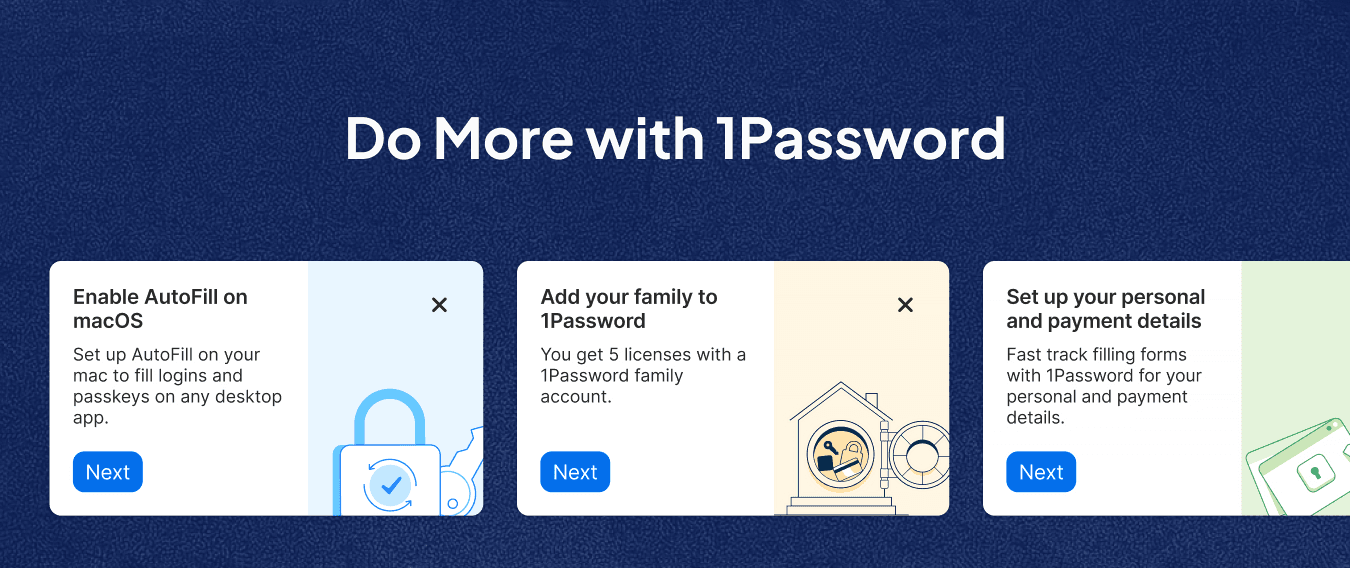
This led to an additional round of design exploration:
Reaching both new and existing users
New users would encounter the feature in Guided Setup, while existing users would discover it through unobtrusive setup cards on the core product homepage.
Final Flow
Guiding users through macOS autofill setup
Reflection
What I learned
Simple designs hide complex decisions
My role is to work through that complexity and create an experience that feels simple to users. Elegant solutions come from exploration, iteration, and thoughtful trade-offs.
Imperfect technology creates imperfect flows
API limitations and competing applications created constraints I could not fully remove. I had to design the best possible user flow within those limitations.